
My Tide Times Pro
JRustonApps B.V.Weather
4.8127.00 Reviews
- Version
- 26.3.1
- Installs
- 10.00K
- Age Rating
- Everyone
Screenshots
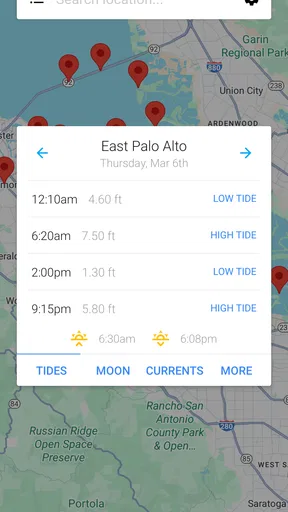
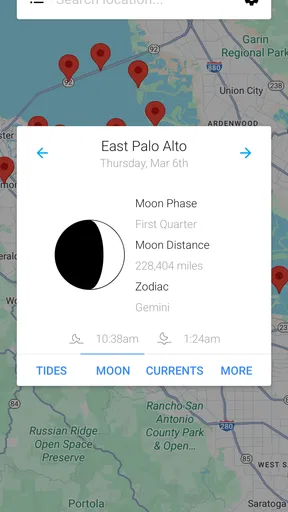
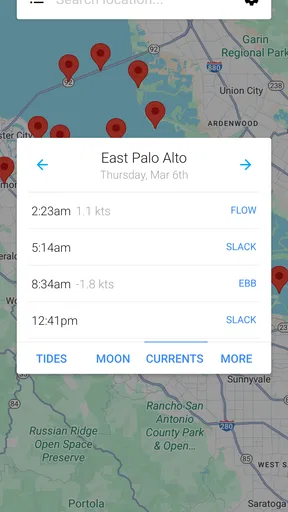
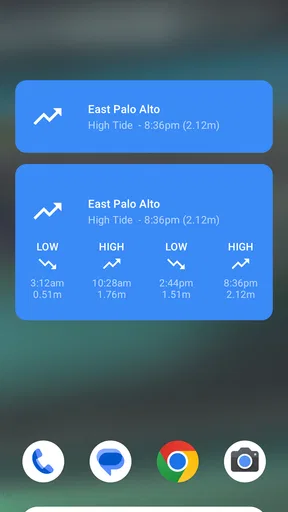
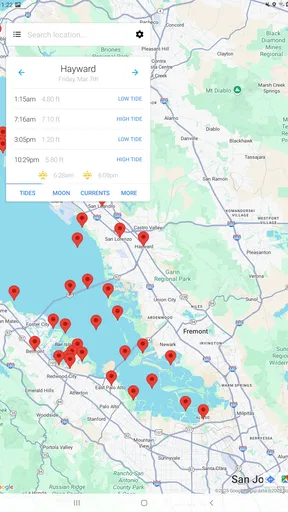
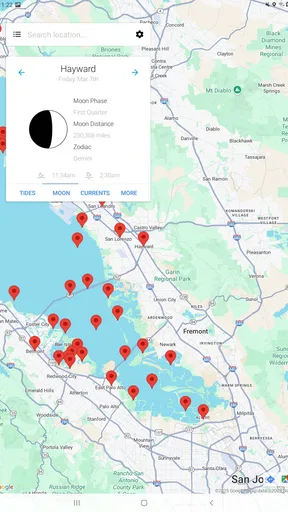
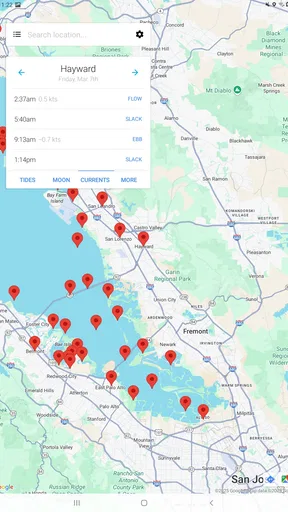
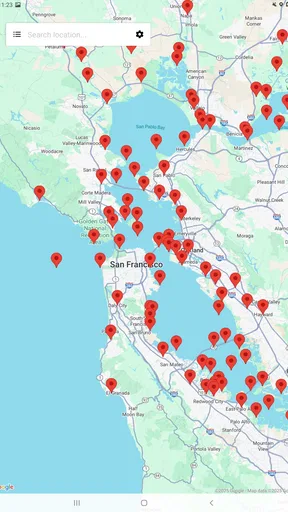
Our Review of My Tide Times Pro
 Analysis by Appyee
I approached My Tide Times Pro as a practical weather tool rather than a general forecast app. Its focus is much narrower: helping me check tide tables and forecasts when the timing of the water matters. That makes it especially relevant for coastal walks, fishing plans, boating, photography, beach trips, and anyone who prefers to make decisions around high and low tide instead of relying on a normal weather forecast alone.
The first thing I noticed is that this is not trying to replace a full weather service. I would not open it expecting radar, a long list of atmospheric measurements, or a broad daily forecast experience. Its value comes from concentrating on tidal information. That focus is also the main question to ask before paying for it: if tides are part of your routine, the dedicated approach can be useful; if you only visit the coast occasionally, a free general-purpose weather app may already cover enough of your needs.
Where the useful information can be easy to miss
Tide information looks simple until I try to use it for a real plan. A high-tide time by itself is not always enough. I also need to know which location the prediction applies to, whether the displayed day is the day I intended to check, and how the forecast fits around travel time. A tide app becomes valuable when it reduces those small decisions instead of making me search through unrelated weather screens.
That is where this app’s focused design makes sense. I can think about a shoreline location and the tide pattern without first sorting through temperature cards or rain notifications. For a person planning a beach walk, the important question may be whether the outgoing tide will expose a particular stretch of sand before sunset. For a small-boat user, it may be whether the water level is suitable around the time of departure. The app is better suited to those questions than a typical weather app that treats tides as an extra line in a forecast.
However, the narrow focus can also create the first point of friction. A newcomer may expect the app to explain every coastal decision automatically. It cannot remove the need for local judgement. Tide predictions do not tell me whether a path is safe, whether waves are unusually large, or whether a harbor is accessible. I still need to consider weather, swell, wind, local warnings, and the physical conditions at the location.
Another easy mistake is treating a prediction as a guarantee. Tide times are useful planning references, but real conditions can be affected by weather and local geography. If I am making a casual plan, the displayed information may be enough to choose a convenient time. If I am heading into a situation where being late or misjudging the water could be dangerous, I would cross-check official local guidance rather than relying on one app.
The app is available for Everyone, which fits its straightforward subject matter. I would still expect a younger user to need an adult’s help when the information is being used for boating, rock-pool exploration, or any activity where a changing shoreline creates risk. The age label describes the app’s content, not the safety of every decision made with it.
Why location selection deserves care
Tide predictions are tied to places, and two nearby coastal points are not automatically interchangeable. A harbor, beach, estuary, and open shoreline can experience noticeably different conditions. When I set up a location, I would choose the actual place where I intend to be rather than selecting the nearest familiar town simply because its name is easier to recognize.
This is one of the most important practical habits with a tide application: check the selected location before trusting the schedule. If the result looks surprising, I would first verify the place, date, and time display before assuming the prediction is wrong. That quick check can prevent an avoidable planning error.
Setup checks that prevent most early frustration
The app comes from JRustonApps B.V. and has been available since Aug 9, 2014, so it is not a brand-new experiment. Its current version is 26.3.1, and it requires Android 8.0 or later. That minimum requirement is worth checking before installation, particularly if I am trying to revive an older phone for use on a boat or at the beach. A device that cannot install the app is a compatibility problem, not an issue with the tide information itself.
On a compatible phone, I would begin with a simple setup routine. I would install the app while connected to a reliable network, open it, and take a moment to identify how locations and dates are presented. I would not wait until I was already standing beside the water to learn the interface. A few minutes at home gives me time to correct a location choice and understand the basic navigation without wind, glare, or a poor signal adding pressure.
Because the app is paid, the purchase decision also deserves a little thought. The listed price is $3.99, with in-app purchases shown as $0.99 per item. I would treat that as a reason to decide whether I genuinely need a tide-focused tool, not simply as an automatic bargain. Someone who checks tides several times a month can get more practical value from a dedicated app than someone who needs the information once during a holiday.
The app has an average rating of 4.8 from around 1.8 thousand ratings, and it has more than 10 thousand installs. Those figures suggest that the focused concept works well for its audience, but they do not remove the need to match the app to my own routine. A high rating is most useful when the app’s purpose aligns with what I need it to do.
I would also check the phone’s date, time, and time-zone settings before interpreting a schedule. A tide time that seems shifted can sometimes be explained by the device’s clock or by looking at the wrong local context. This is a general setup check rather than a special trick, but it matters because tide planning is unusually sensitive to the hour.
For a trip, I would prepare more than one location in advance if my route includes several coastal stops. That avoids trying to search while walking or driving and makes it easier to compare the day’s timing between places. I would also take a screenshot or write down the key times if I expect to be somewhere with weak connectivity. I would not assume that every app screen will remain equally convenient offline, so preparing before leaving is the safer workflow.
A sensible first test
My first test would be deliberately ordinary: choose a familiar coastal location, look at the current day, then move to another day and return to the original one. I would confirm that I understand which date is active and that the location has not changed unexpectedly. After that, I would compare the displayed schedule with a trusted local source when planning something important.
This test is useful because it separates interface confusion from a genuine information concern. If I cannot tell which day or place I am viewing, the right response is to slow down and inspect the screen, not to make a decision based on a quick glance. A tide app rewards deliberate checking more than casual scrolling.
Recovering when a planned workflow breaks
The most realistic use case for me is a coastal walk planned around the tide. Suppose I want to reach a section of beach that is easier to explore when the water is retreating. I would check the location before leaving, note the relevant tide time, allow room for travel and parking, and then use the app as a reference rather than as a countdown that overrides what I see on the ground.
If the screen does not show what I expect, I would recover in a fixed order. First, I would confirm the selected location. Second, I would check the date. Third, I would inspect the phone’s time settings. Fourth, I would refresh the view after reconnecting to a stable network if the information appears incomplete or stale. These are safe, general checks that address the most common sources of confusion without assuming a particular technical fault.
If the app closes or behaves strangely, I would reopen it and repeat the same location and date check. I would avoid repeatedly changing settings at random, because that makes it harder to know what solved the problem. If the issue continues, I would restart the phone and confirm that the operating system meets the Android 8.0 minimum. Keeping the troubleshooting simple is especially important when I am preparing for an outdoor activity.
A useful recovery habit is to separate the information I need from the route I am taking. Before leaving, I would record the key tide times for the chosen place and keep another source available for weather and warnings. That way, a temporary app problem does not automatically turn into a failed trip, and I am not tempted to make a decision from memory.
For a fishing session, I would use the app differently. I might check several possible spots, compare their timing, and choose the one that fits my available hours. I would still consider wind and sea conditions separately. The app can help organize the tide part of the plan, but it should not be treated as a complete fishing forecast.
For photography, the trade-off is similar. Tidal timing can influence reflections, exposed rocks, and access to a viewpoint, but light, cloud, wind, and wave behavior may matter just as much. I would use the tide schedule to choose a window, then check a broader weather source before packing equipment. This two-app workflow is more realistic than expecting one specialized tool to cover every variable.
When a second source is the better recovery tool
There are moments when switching sources is sensible rather than inconvenient. If I am already at the coast and the displayed time conflicts sharply with local signs, harbor information, or official advice, I would pause and verify. If the activity involves navigation, I would give priority to authoritative maritime information and local instructions. A tide application is a planning aid, not a substitute for safety notices.
I would also use another weather app when rain, lightning, wind, temperature, or radar is central to the decision. The usual alternative is more convenient for a broad “should I go outside?” question. My Tide Times Pro becomes the stronger choice when the question is specifically “how will the tide shape this coastal plan?”
When the app is not the cause of the problem
Coastal conditions can make a correct prediction look incorrect. Strong wind may push water higher or lower than expected, while local geography can change how quickly a beach or inlet appears to fill. If what I see does not match the screen, I would not immediately conclude that the app failed. I would check the location and timing first, then consider whether weather or the shape of the shoreline explains the difference.
This distinction matters because tide tables are not a visual promise about the exact waterline at every minute. They are most useful as part of a wider decision. A person planning a low-risk stroll may only need a general timing reference. Someone operating a vessel, crossing tidal ground, or exploring an unfamiliar shoreline needs more detailed and authoritative information.
The app is also not the best choice for someone who wants one screen containing every kind of forecast. If my daily routine is checking rain for commuting, pollen, storms, and hourly temperatures, a broad weather service will probably be more efficient. Adding a tide app only makes sense when tidal information is important enough to deserve its own focused workflow.
Likewise, occasional tourists may prefer a free website or a general weather app if they only need one quick lookup. Paying for a dedicated tool is easier to justify for regular coastal users, photographers, anglers, boaters, walkers, and residents who repeatedly plan around changing water levels.
The app’s purchase model may also influence that decision. The upfront price is clear enough for someone who wants a dedicated utility, but the presence of optional in-app purchases at $0.99 per item means I would review the purchase screen carefully before confirming anything extra. I would not assume that every useful addition is included in the initial payment. That small check prevents an unpleasant surprise and helps me judge the total value for my own use.
One strength is that the app does not need to compete with general weather apps on breadth. Its usefulness comes from reducing the clutter around tide planning. One weakness follows directly from that specialization: I may still need another app for the rest of the day’s conditions. For me, that is an acceptable trade-off when the tide is the deciding factor, but it would feel unnecessary for a person who rarely visits the coast.
Who will get the most from it
I would recommend it to someone who repeatedly asks whether the tide will be favorable at a particular coastal location. It suits a person who likes to plan ahead, check several dates, and build a trip around access to the shoreline. It is also a reasonable fit for users who find tide information buried or awkward in a general weather application.
I would be more cautious about recommending it to a first-time visitor who has no interest in tide details. That person may get more value from a normal forecast app plus local beach information. I would also avoid presenting it as a standalone safety tool for serious marine activities. In those situations, the app can support planning, but official local information and appropriate navigation resources should remain central.
For families, the Everyone rating makes the content approachable, but I would still explain that the water can change independently of how simple the screen looks. A child can help choose a date or observe the schedule, while an adult should make the safety decision and supervise any activity near the water.
My practical verdict after using it as a tide specialist
My overall impression is that My Tide Times Pro earns its place when tides are a recurring part of my plans. I like the idea of opening a dedicated weather app that keeps the focus on tidal tables and forecasts instead of making me search through a general forecast. The current version, 26.3.1, also makes it a current option for compatible Android phones rather than a forgotten utility.
Its best quality is not that it replaces every other weather tool. It is that it gives tide planning a clear home. I can use it before a beach walk, a fishing trip, a photography outing, or a coastal visit, then combine that information with weather and local safety guidance. That division of responsibility feels more reliable than forcing one app to answer questions it was not designed to answer.
The main friction is practical rather than dramatic: choosing the correct location, checking the date and time context, understanding the limits of a prediction, and remembering that coastal conditions are not controlled by a single schedule. Users who prepare those basics will get a smoother experience. Users who expect an automatic safety decision or a complete weather dashboard may be disappointed.
At $3.99, I see it as a focused purchase rather than an essential download for everyone. The strong 4.8 average and the audience of over 10 thousand installs make it look well matched to people who specifically want tide information, while the optional $0.99 items are worth reviewing during setup. I would choose it over a general weather app when tide timing is the central question, but I would choose the general app when my priority is rain, wind, radar, or everyday forecasting.
My recommendation is straightforward: install it if you regularly plan around the coast and are willing to verify locations, dates, and local conditions. Skip it if your coastal visits are rare or if you want one all-purpose forecast app. Used within those boundaries, this is a practical specialist tool, and its focused nature is more of an advantage than a limitation for the right person.
Verdict
Strengths of My Tide Times Pro
- Accurate tide predictions for thousands of coastal locations worldwide.
- Clear charts make high and low tide times easy to understand.
- Supports multiple saved locations for convenient trip planning.
- Includes sunrise, sunset, moonrise, and moonset information.
- Ad-free experience keeps the interface clean and distraction-free.
Limitations of My Tide Times Pro
- Some smaller or remote locations may have limited station coverage.
- Advanced forecasts depend on an active internet connection for updates.
- The interface feels functional but somewhat dated compared with newer apps.
- Tide information may vary slightly from local harbor or authority reports.
- The Pro price may feel high for users who only check tides occasionally.
Other Releases by JRustonApps B.V.
View All
My Moon Phase - Lunar Calendar
Weather4.8

My Tide Times - Tables & Chart
Weather4.8

My Hurricane Tracker & Alerts
Weather4.7

My Lightning Tracker Pro
Weather4.7
Similar Picks in This Category
View All
Weather - By Xiaomi
Xiaomi Inc.4.1

Weather & Radar Forecast
WetterOnline4.8

Weather
OneLouder Apps4.6

AccuWeather: Weather Radar
AccuWeather3.6

The Weather Channel - Radar
The Weather Channel4.6

1Weather Forecasts & Radar
OneLouder Apps4.3
Frequently Asked Questions
What is My Tide Times Pro used for?
My Tide Times Pro is designed to help users check tide predictions for coastal locations around the world. After selecting a nearby or favorite station, you can view high and low tide times, tide heights, and related coastal information in a clear schedule. It is useful for planning fishing, boating, surfing, kayaking, beach visits, photography, and other activities influenced by changing tides.
Does My Tide Times Pro work without an internet connection?
The app may require an internet connection when searching for locations, downloading tide station information, or updating prediction data. However, information that has already been loaded may remain available for later reference, depending on the device and the data stored by the app. For trips to remote coastal areas, it is recommended to open your selected stations in advance and avoid relying on the app as the only source of navigation or safety information.
How accurate are the tide predictions in My Tide Times Pro?
My Tide Times Pro provides predictions based on data from tide stations and established calculation methods, making it a practical planning tool for everyday coastal activities. Nevertheless, predicted tides can differ from actual conditions because of wind, atmospheric pressure, storms, local geography, and other environmental factors. Users should treat the displayed times as estimates and consult official marine forecasts for safety-critical decisions.
Can I use My Tide Times Pro to find tide times anywhere in the world?
The app includes a broad selection of tide stations and supports searches for many coastal locations, allowing users to save places they visit regularly. Coverage can vary by country and by the availability of reliable station data, so a particular beach or harbor may not appear under its exact name. If your preferred location is missing, searching for a nearby official tide station is usually the best alternative.
Is My Tide Times Pro suitable for boating and other water activities?
My Tide Times Pro can be very helpful for planning activities such as boating, sailing, fishing, surfing, paddleboarding, and coastal walks because it presents tide changes in an accessible format. It should not, however, replace nautical charts, navigation equipment, weather forecasts, local notices, or professional marine guidance. Conditions can change quickly, so users should verify all important information before entering the water or navigating unfamiliar areas.
